The first seven days after a coaching client signs are the most important seven days of the engagement, and the days most coaches handle worst. The client has just paid, often a five-figure amount, and is deciding without realising it whether they made the right decision. They are watching how you respond. They are watching how organised you are. They are watching whether what they bought is being delivered the way the sales call promised. And in most coaching businesses, this is exactly the moment when the coach is buried in admin: chasing the contract, sending the intake form, manually scheduling the first call, copying the welcome email out of a template, and forgetting to send the portal access for two days.
Coaching client onboarding automation is the system that fixes this. Done well, it is the difference between a client who feels they made an excellent decision and a client who feels uncertain. Retention, referrals, and lifetime value all flow from this window, and the coach who handles it manually is leaving real money on the table while spending hours doing work a system can do better.
This post is the engineering view of how to build that system. What it actually contains, the day-by-day sequence we use in real Praxail builds, the tools, the failure modes, and the principles that keep a fully automated onboarding feeling like a personal experience. Written for coaches running high-ticket programmes who care about retention as much as acquisition.
What coaching client onboarding automation actually means
Coaching client onboarding automation is the chain of operational events that happens between a client signing the contract and showing up to their first session ready to do the work. Every part of that chain that does not need the coach's judgement should be handled by a system. Every part that does need the coach should still appear, but framed and timed so it has maximum impact.
The traditional version of onboarding is a coach with a checklist and a calendar, manually firing off emails, chasing signatures, sending Loom videos, copying portal links, and trying to remember whether the new client got the welcome packet. The automated version is a sequence that starts the moment the contract is signed, walks the client through every step over the first seven days, and surfaces only the moments where the coach should personally appear.
A working onboarding automation system has six components running together:
- A signing trigger that fires the entire sequence the moment a client signs and pays.
- An intake layer that collects everything you need to deliver the programme, structured and stored.
- A welcome sequence that sets expectations, builds excitement, and reduces buyer's remorse.
- A scheduling layer that gets the first session on the calendar without back-and-forth.
- A delivery setup step that handles portal access, materials, community invites, and tools.
- A coach-touchpoint layer where you appear at the right moments, with the right context.
If you build only the first three and skip the rest, you have automated email but not onboarding. If you build all six but skip the coach touchpoints, you have a sequence that feels like a SaaS welcome flow rather than a high-ticket coaching engagement. The discipline is in running all six together so the system handles the operational chain while preserving the moments that justify the price tag.
Why onboarding is a retention engine, not an admin task
Most coaches think of onboarding as the bureaucracy that happens after the sale. Contracts, intake forms, scheduling. Necessary, irritating, hopefully fast. This framing is the reason onboarding automation gets deprioritised behind lead generation and discovery calls in most coaching businesses, and it is the reason the same coaches struggle with retention three months later.
The reframe is straightforward. Onboarding is the first delivery experience a paying client has. Every email, every form, every delay, every awkward gap is data the client is using to decide whether they made a good decision. A client who experiences a smooth, considered, professional onboarding spends the rest of the engagement convinced they hired the right coach. A client who experiences a clunky onboarding spends the next three months looking for confirmation that they should not have signed.
The data supports this directly. Client retention in a high-ticket coaching programme is the largest single driver of lifetime value, and the first thirty days predict retention more strongly than any other window. Clients who feel onboarded well refer more, renew more, and complete the programme. Clients who feel onboarded badly disengage within sixty days, then churn quietly when the programme ends. The cost of a bad onboarding is not measured in the hours of admin you saved by not building the system. It is measured in the lifetime value you lost on every cohort.
The other reason this matters: onboarding scales worse than almost any other part of a coaching business. A coach with five clients can do it manually. A coach with twenty cannot, and the gap between five and twenty is exactly the growth path most coaches are trying to walk. Coaches typically come to us drowning in onboarding admin around the time they hit fifteen active clients, and the system we build reduces post-sale admin time per client to roughly zero while measurably improving first-session show rates and renewal rates. The work pays back twice: hours saved for the coach, and lifetime value preserved on every client.
The premium feel problem in onboarding
The same anxiety that stops coaches automating discovery calls is in play here, with the volume turned up. The client just paid five figures. If the welcome experience feels like a SaaS product they signed up for, they will start to question what they bought. This is a real risk and worth naming directly.
The fix is not to refuse to automate. The fix is to design the automation so the personal touchpoints land at the moments the client is most likely to be looking for them. Three principles make this work in practice across every onboarding build we have shipped.
The first principle is that personalisation has to be specific to be felt. A generic "Welcome to the programme, [first name]" is not personalisation, it is a mail merge. A welcome sequence that references the goal the client described on their discovery call, names the specific challenge they wanted to solve, and frames the first month around their context is personalisation, and it is now technically achievable at scale because the AI layer reads the call summary and writes the messages in the coach's voice. The client does not detect the system. They detect that the coach paid attention.
The second principle is that the coach appears in the moments that matter. A short personal video, recorded once and inserted into the welcome sequence at the right point, lands harder than ten automated emails. A signed-by-the-coach note arriving on day three, written by the system from the client's intake answers, reads as if the coach typed it. The coach's actual presence shows up in the highest-leverage moments, supported by automation everywhere else.
The third principle is that the system removes friction rather than adding ceremony. A common mistake is treating onboarding as an opportunity to demonstrate value through volume. Five emails on day one, three videos to watch before the first session, a fourteen-page welcome packet, two intake forms, an onboarding checklist. This signals to the client that you have organised yourself but not that you are ready for them. Premium feel comes from the experience being effortless on the client's side, not impressive on yours.
An onboarding automation built on these principles does not feel like a funnel or a SaaS product. It feels like the coach has a competent operations team. Clients on systems we have built consistently comment on how organised the first week felt. They are not detecting automation. They are detecting attention.
The day-by-day sequence we use
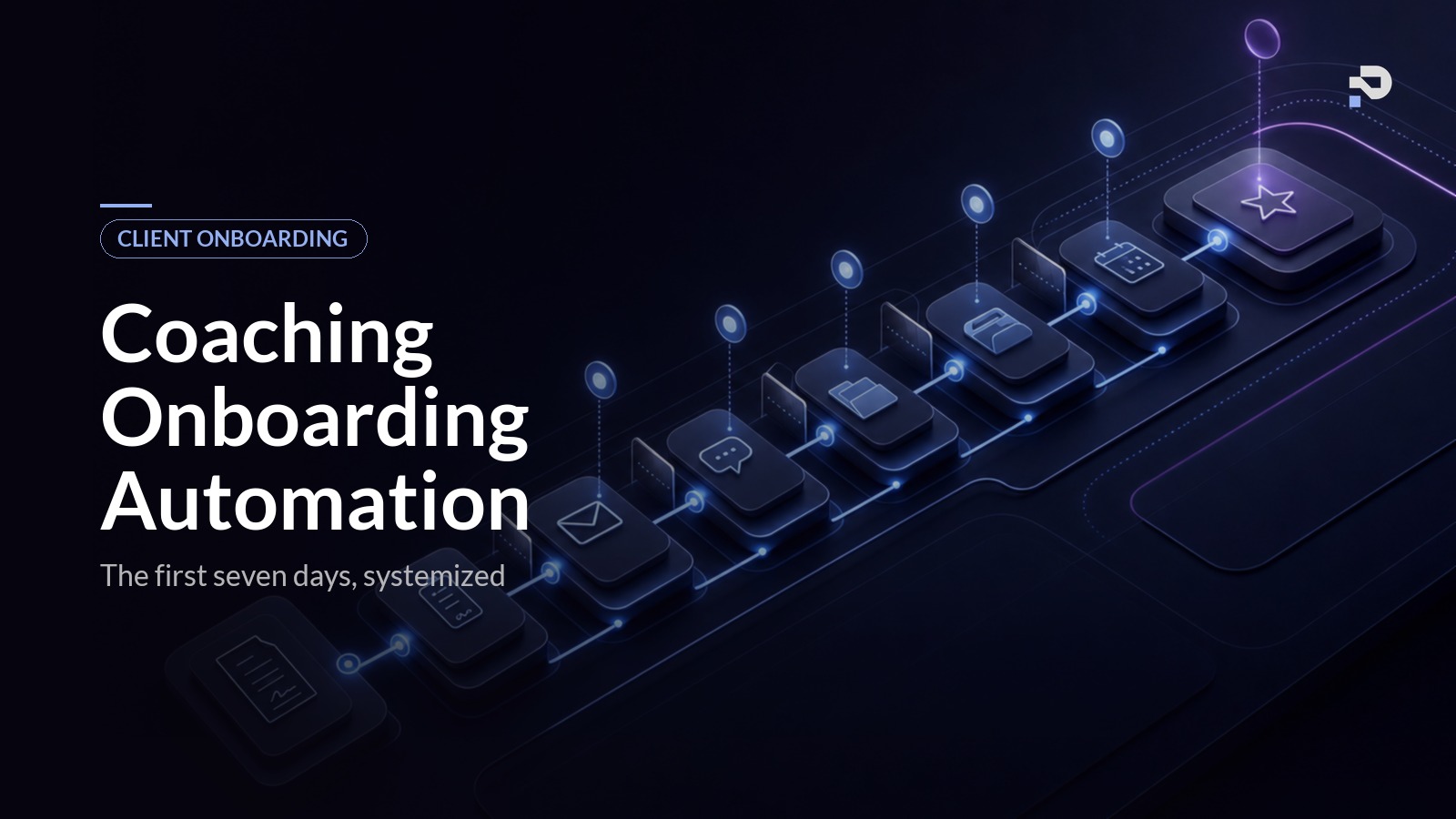
This is the part of the post that exists nowhere else in the SERP for this keyword. Most onboarding content stops at the conceptual level. The thing coaches actually need is a concrete sequence, in order, with timing and rationale. What follows is a paraphrased version of the exact sequence we deploy in Praxail builds, tuned over multiple coaching engagements. Treat it as a starting blueprint, not a template to copy verbatim, since the right messaging depends on your offer and voice.
| Day | What fires | Client action | Purpose |
|---|---|---|---|
| Day 0 | Confirmation email, first session booking link, portal access | Book first session | Capitalise on peak post-signing excitement |
| Day 1 | Welcome video, intake form | Complete intake | Collect the context the coach needs before the first session |
| Day 3 | Personalised note from coach (AI-drafted from discovery call) | None required | Address buyer's remorse at its peak |
| Day 5 | Intake follow-up (if not done) or prep materials (if done) | Review prep, complete intake | Prepare client; catch silent disengagement early |
| Day 7 | First session with pre-built coach brief | Show up ready to work | Full context, zero manual admin |
Day 0 (signing trigger)
The moment the contract is signed and payment is processed, three things happen automatically. First, an immediate confirmation email lands in the client's inbox, signed in the coach's voice, confirming the agreement and outlining what happens in the next seven days. Second, the calendar booking link for the first session is sent in the same email, with availability already filtered to slots within the next ten days. Third, the client gets access to the portal or workspace where the programme materials live, with a personalised landing page that names them and references their stated goal.
The rationale for the speed is straightforward. The client is at peak excitement immediately after signing and payment, and that excitement decays fast. Every hour without contact reduces the chance of momentum. We aim for first contact within five minutes of payment confirmation, which is only possible with automation.
Day 1 (welcome video and intake)
Twenty-four hours after signing, the welcome sequence proper begins. The client receives a short personal video from the coach (recorded once, used for every client, kept under three minutes), a clearly framed intake form, and a one-line message setting the expectation that completing the intake before the first session is part of the agreement. The intake itself is short. We resist the urge to ask twenty questions on day one. The questions that matter are the ones that change how the coach prepares for the first session, and the ones that capture context the coach will reference throughout the programme.
If the client has not booked their first session by this point, the system gently nudges. If they have, the booking is confirmed and the intake is marked as the next action.
Day 3 (signed-by-coach personal note)
This is the highest-leverage automation in the entire onboarding sequence and the one most coaches skip. A short personal note from the coach lands in the client's inbox, written by the AI layer in the coach's voice, referencing the specific goal the client described during the discovery call, and naming one thing the coach is looking forward to about working together. The coach has not typed it. The system has, using the discovery call summary as input. The client reads it as if the coach sat down at their desk and wrote it.
Why day three: by this point the client has signed, paid, watched the welcome video, and probably begun the intake. They are now in the part of the journey where buyer's remorse is most likely to surface. A note arriving here, specific to them, signed by the coach, is the single most effective intervention for cementing the relationship.
Day 5 (intake follow-up and prep materials)
By day five, the system checks the state. If the intake is incomplete, a soft follow-up goes out. If it is complete, the AI layer reads the answers and surfaces them to the coach as a structured pre-session brief. The client receives any prep materials specific to their goal, selected by the system from the coach's library based on their intake answers. We resist sending generic prep materials. The client gets one or two pieces, chosen for them.
This is also the day the system flags any client who has gone quiet. If they have not opened the last two emails, not booked, not started the intake, the coach gets a notification with context. The coach can then send a one-line personal message that the system would not write on its own. This is the failure-mode catch that prevents quiet disengagement before it becomes silent churn.
Day 7 (first session and the handover)
The first session happens at the booked time. The coach walks in with the structured brief generated from the intake, the discovery call summary, and any context the client has added in the portal. The session is recorded and transcribed by the live call tooling, exactly as in the discovery call automation flow, and the system generates a structured summary at the end.
The post-session sequence handles the handover from onboarding to programme delivery. The client receives a summary of what was discussed, the actions agreed, and the date of the next session. The coach has spent zero minutes on admin and walked into the first session more prepared than they would have been writing notes by hand for an hour. The client experiences the coach as fully present and fully informed.
This sequence, run end-to-end, takes the client from signed contract to a productive first session with the coach having handled none of the operational work. It is exactly the system we mean when we describe a Praxail client onboarding build. The whole point is that the coach's attention is preserved for the moments that need it, and the system handles everything else.
Architecture notes for each component
The day-by-day sequence is the surface of the system. The architecture underneath is what makes it run reliably across dozens of clients without the coach getting paged.
The signing trigger has to anchor on confirmed payment, not signed contract. We have seen coaches lose serious time chasing clients through onboarding who then never paid. The cleanest setup uses your contract tool (HelloSign, PandaDoc, or the built-in contract module in Dubsado, HoneyBook, or Practice Better) firing on signature, your payment processor (Stripe, GoCardless) firing on payment confirmation, and a workflow tool that only kicks the sequence off when both events have happened.
The intake layer has two design rules. Keep it short, and structure it for use. A working coach intake is six to ten questions focused on context the coach will reference while delivering, not a 47-question form that clients abandon halfway through. The answers need to land in your CRM, the AI layer that drafts personalised messages, and the pre-session brief automatically, not as a PDF the coach has to re-read every time. A life coach intake form is different from a business coach intake form, and both are different from the template the tool ships with. Build the form your offer needs.
The welcome sequence is the email and message chain across the first seven days. The biggest mistake we see is treating it as a marketing funnel. A coaching welcome sequence is a delivery sequence, and the goal is the client showing up to the first session ready to work. Every message serves that goal, or it gets cut. Tools we like for delivery are ActiveCampaign, ConvertKit, and Customer.io, paired with the AI layer that reads the intake and call summary to draft the personalised messages.
The scheduling layer should be filtered to programme-specific availability, connected to the client's record so the booking lands in the right place, and integrated with the intake so the call has context. For programmes with a fixed weekly cadence, the scheduler sets up a recurring slot at signup rather than asking the client to book each session manually. That single change measurably improves session adherence over the life of the programme.
The delivery setup configures the portal or workspace (Notion, Circle, Kajabi, a custom portal), prep materials, community access, and any tools the client will use. The principle is that the client should never have to ask "how do I access X". Every tool they need is ready and labelled clearly before they think to ask.
The coach-touchpoint layer is the discipline of editing rather than writing. The coach appears at maximum-leverage moments (signing, day three note, first session, system-flagged exceptions), the appearance is short and specific rather than templated, and the system handles everything else. A coach who tries to appear personally at every step ends up doing the same manual onboarding they were trying to escape. A coach who designs the touchpoints with restraint ends up with a system where their attention is reserved for moments that move the needle.
Common mistakes coaches make automating onboarding
Coaches who build this themselves usually trip on the same things.
Treating it as a single email rather than a system. A welcome email is not coaching client onboarding automation. It is a single message in a six-component sequence, and on its own it does almost none of the work.
Front-loading too much content. The instinct to demonstrate value through volume produces overwhelmed clients in the first week. Restrict the day-one experience to exactly what the client needs to be ready for the first session. Everything else can come later in the programme.
Skipping the intake-to-pre-session brief link. The intake is collected, the coach reads it, the coach prepares for the call, the data dies. A working system surfaces the intake as a structured brief automatically and references the answers in subsequent personalised messages. Otherwise the data has been collected for nothing.
Generic welcome content. A copy-paste welcome email from a template is the most common signal to the client that they are one of many. Personalisation has to be specific (referencing the actual goal and context from the discovery call) to be felt. Generic emails are worse than no emails.
Forgetting the silent-client catch. Clients disengage quietly. Without a system flagging the ones who have gone quiet on day five, the coach finds out at the first session that the client never completed the intake. By then the relationship has already started badly. Build the catch.
Over-automating the human moments. The first session is human. The day-three note is signed by the coach (even when the AI layer drafted it, the coach reviews and personalises if needed). The moments where the client is most likely to be assessing their decision are the moments the coach should be most visibly present.
Tools you can use to build this
For a coach building this themselves, the tool stack typically looks like:
- Contracts and payments: HelloSign, PandaDoc, or built-in modules in Dubsado, Paperbell, HoneyBook, or Practice Better. Stripe or GoCardless for payment.
- Intake forms: Typeform, Tally, or built-in form modules in your client management platform.
- Email and SMS: ActiveCampaign, ConvertKit, Customer.io for sequences. Twilio for SMS confirmations.
- Workflow orchestration: Make, Zapier, or n8n to wire the components together and handle conditional logic.
- Client portal and delivery: Notion, Circle, Kajabi, or a custom portal depending on programme structure.
- Scheduling: Calendly, Cal.com, or the built-in scheduler from your client management platform.
- AI layer: GPT or Claude through the workflow tool, used to read the discovery call summary and intake, and draft personalised messages in the coach's voice.
This stack will build the operational backbone of coaching client onboarding automation, and many coaches can run on it well. The remaining work is the AI personalisation layer that makes the messages specific rather than templated, and the integration discipline that keeps the data flowing across tools without manual intervention. That is the part that typically requires either technical capability in-house or a build partner. If you want a node-by-node walkthrough of how to wire the whole sequence together yourself, the step-by-step onboarding build tutorial covers the trigger, intake, AI prompts, and test plan in implementation detail. For coaches who want this delivered as a complete system, that is what we build at Praxail. The sequence sits inside the broader AI automation system for coaches we deploy.
FAQ
How long does it take to set up coaching client onboarding automation?
A basic version (signing trigger, intake form, welcome sequence, scheduling) takes a competent operator about a week of focused work. The full version with AI personalisation, intake-to-brief integration, delivery setup, and the coach-touchpoint layer takes three to five weeks depending on the depth of integration with your existing tools. We typically deliver a complete onboarding build for a coaching business in four to six weeks.
Will my clients know it is automated?
If it is built well, no. The personalisation is specific enough that clients assume the coach wrote the messages, and the coach genuinely appears at the high-leverage moments. We have asked clients on systems we built, and the consistent feedback is that the experience felt thoughtful and well-organised. None have flagged that it felt automated.
What about clients who do not complete the intake?
Build the silent-client catch into the sequence. By day five, if the intake is incomplete, the system either nudges the client softly or flags the situation to the coach for a personal touchpoint, depending on programme rules. The coach gets context (which steps are complete, which are not, when the last contact was) and can decide whether to send a personal one-liner or let the system continue.
Should I automate onboarding before discovery calls?
Discovery call automation usually comes first because it is closer to revenue, and clients have to convert before they are onboarded. Once your discovery call flow is reliable, onboarding is the next system to build. The two are tightly connected: the call summary from discovery feeds the personalised onboarding messages, and the onboarding intake feeds the first session brief. They are designed as a continuous chain.
How does this interact with my existing CRM?
The onboarding system reads from and writes to whichever CRM you use, whether that is Dubsado, HoneyBook, Paperbell, Practice Better, or something custom. The coaching CRM automation is one of the components, not a replacement for the CRM itself. If your CRM is the source of truth for client records, the onboarding system orchestrates the sequence around that source of truth.
What if I run cohort programmes rather than rolling enrolment?
Cohort programmes need a slightly different design. The signing trigger fires per client, but the welcome sequence is paced to align with the cohort start date rather than running off the signing date. The intake-to-brief and personalised messaging components still apply per client, but the cohort-level events (kickoff calls, group sessions, community onboarding) sit on top of the per-client sequence.
Is the personalisation worth the engineering complexity?
It is the difference between a sequence that feels like a SaaS welcome flow and a sequence that feels like a coach paid attention. For high-ticket programmes where the engagement depends on the client feeling personally seen, the personalisation layer is the part that justifies building this rather than buying a templated welcome flow.
What is the first piece I should build?
Start with the signing trigger and the day-zero confirmation email. The single most common failure in coaching onboarding is silence between contract signed and first contact, and a same-minute confirmation email signed in the coach's voice fixes that. From there, build the intake layer, then the welcome sequence, then the personalisation layer on top. Build outward from the trigger.
Where to take this next
The natural sequence to build a full coaching automation stack is lead follow-up first, then discovery calls, then onboarding, then accountability. Each system makes the next one work better. By the time onboarding is in place, you have a continuous chain from first enquiry to a productive first session, with the coach in the loop only at the moments their judgement is needed.
If you have not built the front of the funnel yet, the AI automation guide for coaches covers the broader systems view, and the discovery call automation post covers the system that hands clients into onboarding once they convert.
If you want to see how a complete onboarding build looks in practice, see how Praxail works. Onboarding is one of the systems we ship as part of the AI Client Conversion System, and the case studies page has the engineering detail of what we have built for working coaching businesses.